

When a puppy is microchipped, the information connected to that chip becomes one of the most important identification records a dog owner keeps.
A puppy microchip information record sheet helps keep those details organized in one place so they are easy to reference whenever needed.
What This List Is For:
This list helps you record the key details connected to your puppy’s microchip identification.
📄 You can find a blank Microchip Information Record Sheet inside the Dog Records Organizer, which you can personalize to your own needs.
Many dog owners keep this information sheet inside the Dog Profile Section of their records organizer.
What Is A Dog Records Organizer?
A dog records organizer helps you keep your dog’s important paperwork and records organized in one easy-to-find place. For a full overview of how the system works, visit our Dog Records Checklist guide.
Below are the details typically included on this type of puppy microchip record sheet.
Information to Include in a Puppy Microchip Information Record Sheet
Puppy Identification Details
This section records the basic identification details for your puppy so the microchip record clearly matches the correct dog.
These details help confirm the chip number is associated with the right animal.
Typical information to record includes:
- Puppy’s full name
- Breed or breed mix
- Colour and markings
- Date of birth or estimated age
- Gender
- Photograph reference (if stored in the binder)
Recording these details ensures the microchip number is always linked to the correct puppy.
Microchip Number
The microchip number is the most important piece of information on this record sheet because it uniquely identifies your puppy within microchip databases.
Most owners record several supporting details alongside the number to ensure the chip can always be referenced correctly.
Common fields included are:
- Microchip number
- Barcode sticker (if provided by the clinic)
- Date the chip was implanted
- Age of puppy at implantation
- Implant location (typically between shoulder blades)
- Scanning confirmation date
Keeping the microchip number clearly recorded makes it easier to reference if needed later.
Want a Ready Made Version?
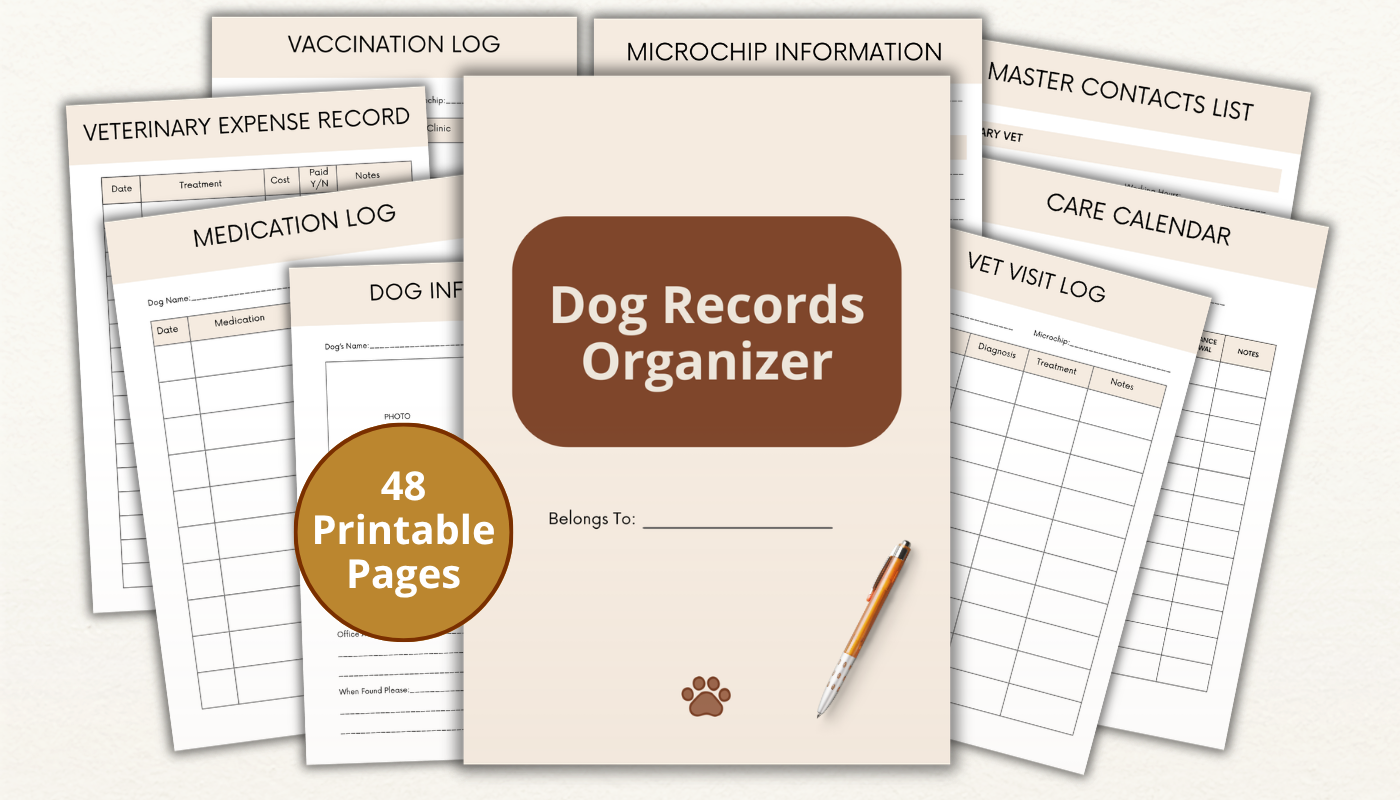
The Dog Records Organizer consists of 27 printable checklists and trackers - over 48 pages - to help keep your dog records neatly organized in one safe place.
Learn More About The OrganizerMicrochip Company or Registry
Different microchips are registered with different companies or registries.
Recording the organization responsible for the registry helps you know exactly where the chip information is stored.
This is particularly useful if contact details ever need to be updated.
Information often included:
- Microchip company name
- Registry name
- Website address
- Registration phone number
- Account or registration ID
- Customer support contact
This information helps ensure you can quickly access the correct registry if details need updating.
Registration Confirmation Details
After the chip is implanted, owners usually complete registration with the microchip database.
A record sheet can help confirm that the registration process was completed successfully.
Keeping a note of confirmation details can also help if you ever need to access your registry account later.
Typical entries include:
- Registration completion date
- Registered owner name
- Email address used for registration
- Username or account login reference
- Confirmation number or reference
- Registration receipt or confirmation of location
Keeping this information together helps ensure the registration can be verified if needed.
Veterinary Clinic Information
Microchips are often implanted during a veterinary appointment, vaccination visit, or puppy health check.
Recording the clinic details links the procedure to the correct provider.
This can be helpful if you ever need to reference the implantation appointment.
Common details recorded:
- Veterinary clinic name
- Clinic phone number
- Clinic address
- Veterinarian name
- Appointment date
- Procedure reference or invoice number
This creates a clear record of when and where the microchip was implanted.
Microchip Documentation Storage
Most microchipping appointments include printed paperwork or certificates confirming the procedure and registration.
This section records where those documents are stored.
Having a simple reference avoids searching through files or paperwork later.
Typical fields include:
- Microchip certificate location
- Implantation paperwork location
- Registration confirmation document
- Receipt or invoice location
- Veterinary record reference
- Digital copy storage location
The Dog Records Organizer includes a blank Microchip Log page if you prefer a structured version ready to print and fill in.
Recording document locations makes it easier to retrieve the paperwork when needed.
Owner Contact Information
Microchip registries connect the chip number to the owner’s contact details.
Recording the same information in your own records helps ensure the details remain accurate.
If contact information ever changes, it can also serve as a reminder to update the registry.
Typical details recorded:
- Primary owner name
- Phone number
- Secondary phone number
- Email address
- Home address
- Emergency contact person
This section reflects the information associated with the microchip registration.
Secondary Contact Information
Many registries allow an additional contact to be listed in case the primary owner cannot be reached. Some owners choose a family member, friend, or trusted neighbour.
Recording that secondary contact alongside the microchip record keeps everything together in one place.
Information commonly recorded includes:
- Secondary contact name
- Relationship to owner
- Phone number
- Email address
- Address (if required)
- Preferred contact method
Including a secondary contact can help ensure someone can be reached if a dog is found.
Microchip Scanner Verification
Occasionally, confirming that the microchip scans correctly can provide reassurance that the chip is functioning as expected.
Some owners make a simple note when the chip is scanned during routine veterinary visits.
Typical entries include:
- Scan verification date
- Location of scan (vet clinic, shelter, etc.)
- Staff member or technician name
- Confirmation that the chip was scanned successfully
- Notes about scan placement
- Next recommended scan check
Keeping a record of scans can provide reassurance that the chip remains readable.
Updates to Registration Details
Owner contact details sometimes change over time, particularly phone numbers or addresses. A small update log can help track when registry information has been revised.
This helps ensure the microchip database always contains current contact details.
Common items recorded:
- Date contact details were updated
- Registry updated
- Updated phone number recorded
- Updated address recorded
- Updated email recorded
- Confirmation reference number
Tracking updates helps ensure the microchip registration stays accurate.
Microchip Transfer or Ownership Changes
If a dog ever changes ownership, the microchip registry usually needs to be updated to reflect the new owner’s contact details.
Recording the transfer information creates a clear record of when the change took place.
Typical fields recorded include:
- Date of ownership transfer
- Previous owner name
- New owner name
- Registry update confirmation
- Transfer documentation location
- Registry contact reference
Keeping this information ensures the microchip details remain connected to the correct owner.
Summary
A puppy microchip information record sheet keeps your puppy’s identification details clearly organized and easy to reference.
By recording the chip number, registry details, and contact information in one place, owners can quickly confirm that everything connected to the microchip is accurate.
Keeping this type of record alongside other puppy paperwork helps ensure important identification details are never difficult to locate.
If keeping all of your dog’s records in one place sounds useful, the Dog Records Organizer gives you a complete printable system covering every area of dog ownership.
Ready to set up the full system?
The Dog Records Organizer consists of 27 checklists and trackers - over 50 pages in total - to help you keep your dog records safe and organized in one place.
Learn More About The Dog Records Organizer